Plane Finder Alerts
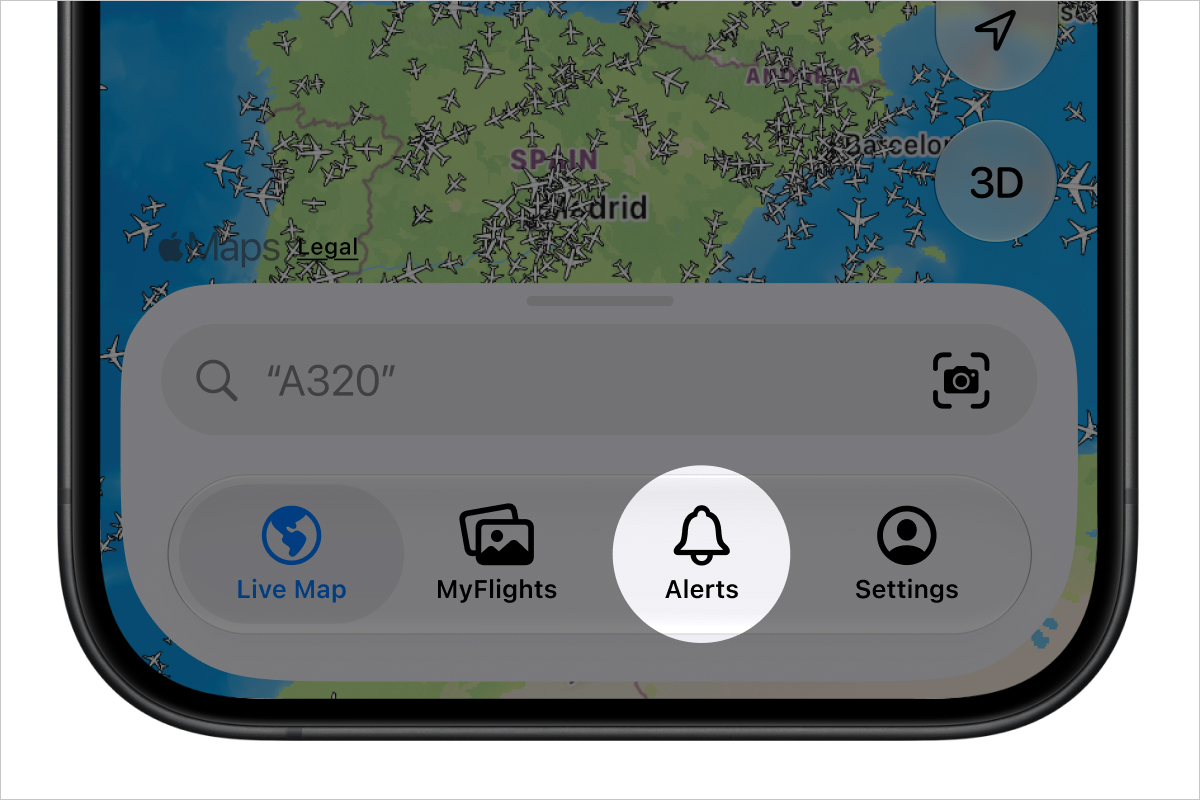
You can receive two types of alerts: Predefined and Custom. Both can be found by tapping Alerts on the tab bar at the bottom of the map screen.
Enabling Device Notifications
| Plane Finder requires your permission to send notifications. If you have previously declined notifications, you will need to activate them in your device's settings. |
How to enable device notifications:
- Open your device Settings (By default this can be found on your home screen)
- Tap Notifications, then scroll down the list of apps and tap Plane Finder
- Check that Allow Notifications is enabled
- Also check that you have an alert style selected (Lock Screen, Notification Centre or Banners)
Predefined Alerts
There are 3 types of predefined alerts, you can toggle each one on and off by tapping them
- Emergencies: Emergency situations (aircraft squawking 7700)
- Featured Flights: Interesting flights selected by our team
- Nearby Airports: Receive a reminder to check Plane Finder when visiting an airport
Custom Alerts
Custom Alerts are a Premium feature that you can create based on your own interests, criteria and location.
Creating a custom alert:
- Tap Alerts on the tab bar at the bottom of the home screen
- Tap Custom Alerts, then tap the '+' Icon in the top right hand corner of the screen
- Choose your Alert Type from the following options:
- Airline/Flight Number
- Aircraft Type
- Registration
- Squawk
- Hex Code
- Enter the criteria you would like the Alert to use
- Type an optional label for your alert
- Choose if you'd like your alert to apply Anywhere or a defined Location
- Tap the blue tick button in the top right hand corner
Deleting a custom alert:
Swiping from right to left on the custom alert you want to delete will reveal the delete option.
Need further help? To contact our support team via email please tap here
Was this article helpful?
That’s Great!
Thank you for your feedback
Sorry! We couldn't be helpful
Thank you for your feedback
Feedback sent
We appreciate your effort and will try to fix the article